
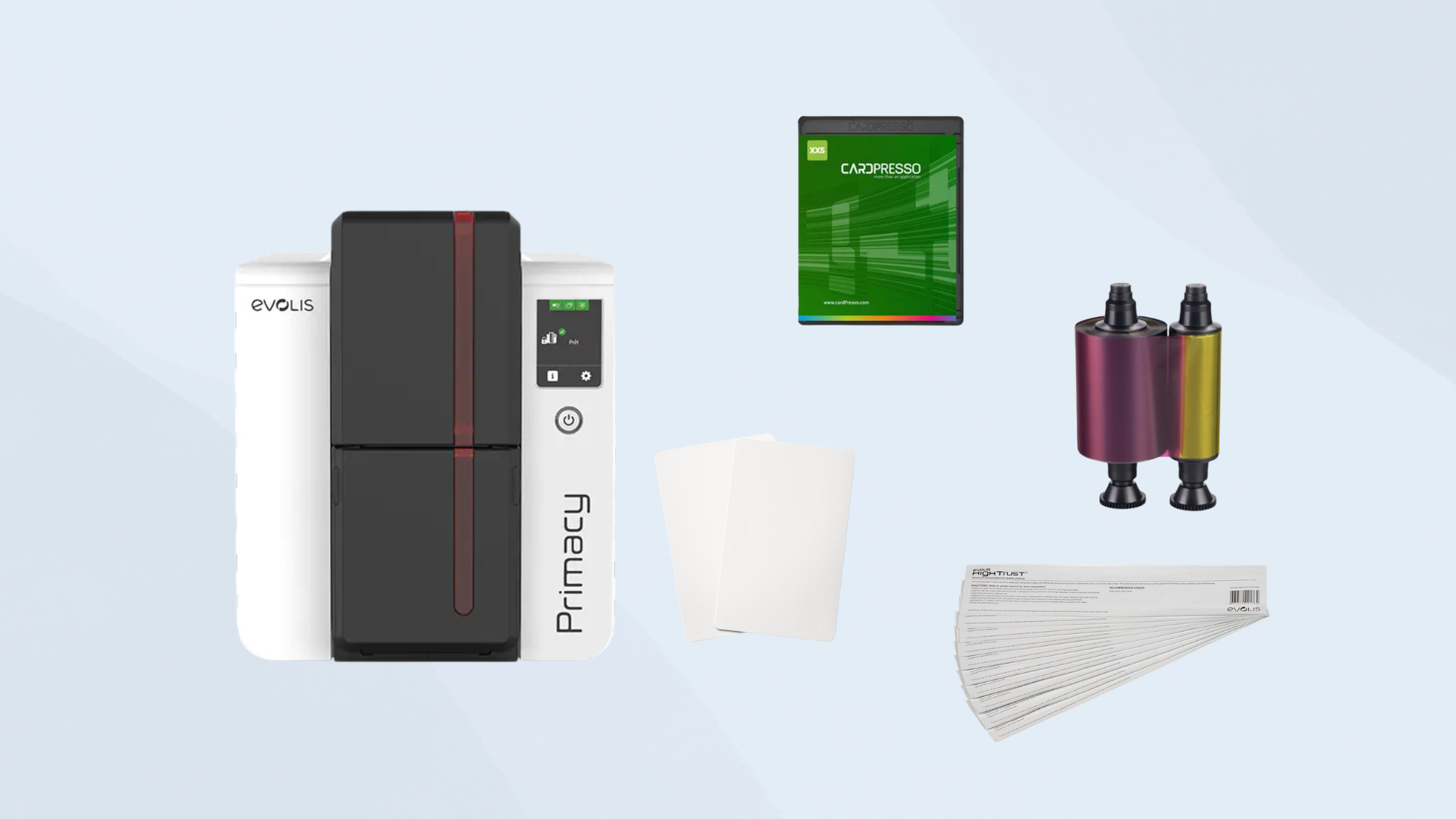
For many organizations, purchasing an ID card printer is only the first step in creating an effective card issuance program. A printer by itself may not provide everything needed to design, print, encode, and maintain professional ID cards.
For resellers, building a complete ID card printer starter package can make the purchasing process easier for customers while creating an opportunity to provide a more complete solution.
The right package will depend on the customer’s application, but there are several core components that should be considered.
1. Start With the ID Card Printer
The printer should be the foundation of the package.
Before recommending a specific model, determine how the customer plans to use it. Important questions include:
- How many cards will they print?
- Will they print cards on one side or both sides?
- Do they need standard or higher-security cards?
- Do they need card encoding?
- Will they need lamination?
- What size and type of cards will they use?
- How frequently will the printer be used?
A customer printing a few hundred cards per year may have very different requirements than an organization producing thousands of cards every month.
Direct-to-Card vs. Retransfer
The printing technology should also be considered.
Direct-to-card printers print directly onto the surface of the card and can be a practical option for many standard ID card applications.
Retransfer printers print the image onto a film that is then transferred to the card. They can be useful for applications where high-quality edge-to-edge printing or additional card compatibility is important.
Understanding the customer’s requirements before selecting the printer helps prevent them from purchasing a system that doesn’t meet their needs.
2. Add the Right ID Cards
The printer needs compatible blank cards to produce credentials.
A starter package should include the appropriate card type based on the customer’s application. Options can include:
- Standard PVC cards
- Composite cards
- Magnetic stripe cards
- Contact smart cards
- Contactless cards
- Proximity cards
- Dual-interface cards
If the customer needs cards for access control, the card technology must also be compatible with the organization’s existing readers and access control system.
This is an area where resellers can add significant value by making sure the customer purchases the correct cards from the beginning.
3. Include the Correct Ribbon
The printer also needs a compatible ribbon.
Ribbon selection depends on the printer model and the type of cards being produced. Common options include full-color ribbons, monochrome ribbons, and specialized ribbons with additional security or protective features.
When building a starter package, consider how many cards the customer expects to print and select an appropriate ribbon quantity.
Including an extra ribbon in the initial package can also help prevent the customer from running out of supplies shortly after deployment.
4. Don’t Forget ID Card Software
The printer produces the physical card, but software is typically needed to create the card design and manage the printing process.
Depending on the customer’s requirements, software may provide capabilities such as:
- ID card design
- Photo capture
- Database management
- Barcode or QR code printing
- Card encoding
- Batch printing
- Employee record management
- Credential management
A simple employee badge program may only need basic card design software, while a larger organization may require more advanced credential management capabilities.
5. Add a Camera for Photo ID Cards
If the customer is producing photo identification cards, a camera can be an important part of the starter package.
A dedicated ID photo camera or compatible webcam allows the organization to capture employee, student, member, or visitor photographs during the card issuance process.
When selecting a camera, consider:
- Image quality
- Compatibility with the ID software
- Ease of use
- Lighting
- Mounting options
- Consistency between photographs
A standardized photo-capture process can help an organization produce more consistent-looking credentials.
6. Consider Card Encoding
Not every customer needs encoded cards, but organizations using cards for physical access or other applications may require encoding.
Potential technologies include:
- Magnetic stripe
- Contact smart card
- Contactless smart card
- Proximity technology
Resellers should determine what technology the customer’s existing system uses before recommending an encoding option.
This is especially important because a card printer, card technology, encoder, and access control system need to work together.
7. Add Cleaning and Maintenance Supplies
A starter package shouldn’t only focus on producing the first batch of cards. It should also help the customer maintain the printer.
Cleaning supplies can help remove dust, debris, and other contaminants that may affect printer performance.
Depending on the printer, a maintenance package may include:
- Cleaning cards
- Cleaning swabs
- Cleaning rollers
- Printhead cleaning supplies
Including maintenance supplies gives customers the tools they need to properly care for their equipment from the beginning.
8. Consider a Laminator
Lamination isn’t necessary for every ID card program, but it can be valuable for organizations that need additional durability or security.
A laminator can add a protective layer to the card and may also support security features such as holographic or custom laminates.
Consider lamination when cards will:
- Be used frequently
- Need additional protection from wear
- Remain valid for several years
- Require additional visual security features
For a basic employee badge program, lamination may not be necessary. For credentials that need to withstand heavy use, it may be worth considering.
9. Include a Backup Supply of Cards and Ribbons
A customer may have everything they need to start printing but still encounter problems if they run out of cards or ribbon.
A starter package can include enough supplies to cover the customer’s initial printing needs, along with additional supplies for future use.
This also creates an opportunity for resellers to establish an ongoing relationship with the customer through recurring card and ribbon orders.
10. Don’t Overlook Training and Support
The equipment is only part of the solution.
Customers may need help setting up the printer, installing software, designing their first card, configuring encoding, or troubleshooting problems.
Resellers can add value by providing information about:
- Printer setup
- Software configuration
- Card design
- Printer cleaning
- Ribbon replacement
- Basic troubleshooting
- Service and repair options
Having a clear support plan can make the transition to a new ID card system much easier for the customer.
Example ID Card Printer Starter Package
A basic starter package might include:
Core Equipment
- ID card printer
- ID card software
- Photo capture camera
Printing Supplies
- Blank ID cards
- Full-color ribbon
- Cleaning supplies
- Additional card and ribbon inventory
Optional Components
- Card encoder
- Laminator
- Lamination supplies
- Specialized cards
- Additional software modules
The exact configuration should be customized based on the customer’s card volume, security requirements, and existing systems.
How Resellers Can Build the Right Package
The biggest mistake when building an ID card printer package is starting with a list of products instead of starting with the customer’s requirements.
Before putting together a quote, ask:
- What are they printing? – Employee badges, student IDs, membership cards, visitor credentials, access control cards, or something else?
- How many cards will they print? – Print volume can help determine the appropriate printer and supply quantities.
- Do the cards need to be encoded? – If so, determine which technology is required.
- Do the cards need to be laminated? – This can affect both equipment and operating costs.
- Who will operate the system? – A small organization with one card administrator may have different software requirements than a large organization with multiple users.
- What happens if the printer stops working? – Discuss maintenance, repair, and potential backup options before the customer experiences downtime.
Ready to Build the Right ID Card Printer Starter Package?
Building an effective ID card printer starter package is about more than choosing a printer. The right combination of printers, cards, ribbons, software, photo capture equipment, encoding, lamination, maintenance supplies, and support can help customers create a complete ID card issuance program that meets their current needs and can grow with them.
Contact us today to discuss your customer’s ID card printing requirements and learn how we can help you build the right starter package. Our team can help you identify the appropriate equipment, supplies, and accessories to create a complete ID card solution for your customers.